In collaboration with a senior product designer, I imagined and designed a no-code, visual building interface which effectively reduced the time required for users to create search expressions by an impressive 67%.
I grew into the UX lead on this project, taking it from early collaboration through to launch. My work spanned the full design process — User Research, High Fidelity Prototyping, Usability Testing, and Style Guides.
An intuitive "no-code" interface enabling rapid development & testing of custom search expressions
Enterprise Recon — the company's flagship product — scans computers and cloud applications for sensitive data like National IDs and Credit Card numbers. However, users also needed to scan for unique, sometimes complex data types like proprietary recipes and customer membership IDs. GLASS Studio was developed as a complementary product enabling users to create custom search expressions without any prior coding knowledge.
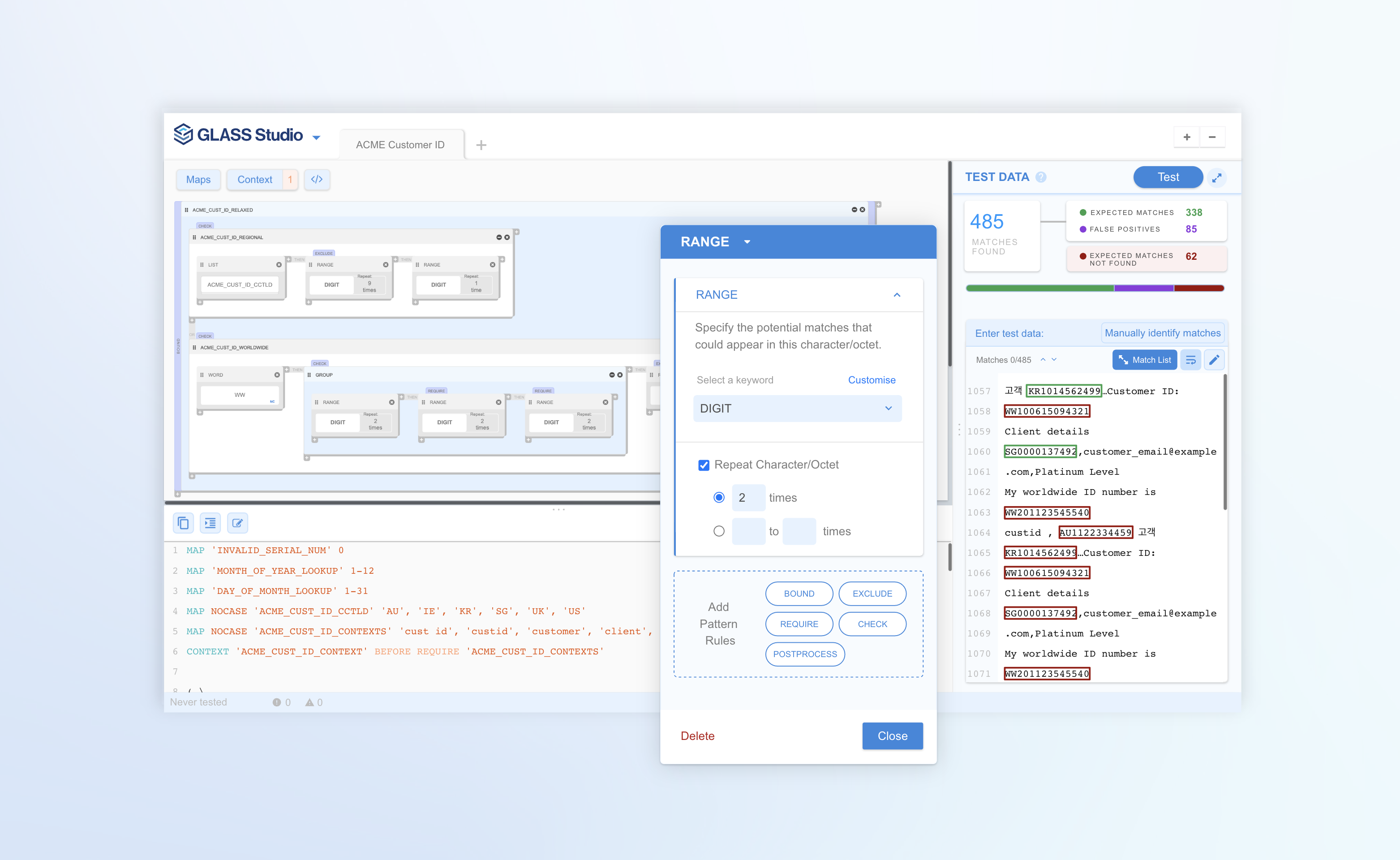
Issues faced prior to GLASS Studio
After speaking with internal data type researchers, the support team, and partner security executives, we discovered the following problems users faced when building search expressions on their own:
High barrier of entry
- Requires a coding background
- Must read lengthy documentation covering all syntax and coding concepts
Lengthy testing process
- Go through >20 clicks just to set up a scan
- View results with very limited detail
Troubleshooting errors
- Error messages were not specific enough
- Errors only shown at the very last step, after the entire expression was submitted
Anyone from a small business owner to a compliance officer should be able to create search expressions that are error-free and functional, without the need for code or advanced skills.
Ideation, prototyping, and testing — iteratively
Ideation Workshops
To kick off the design process, I facilitated a design studio session and led information architecture discussions with key stakeholders. This helped align the team early on around design direction, ensured we were solving the right problems, and created shared ownership of the final solution.
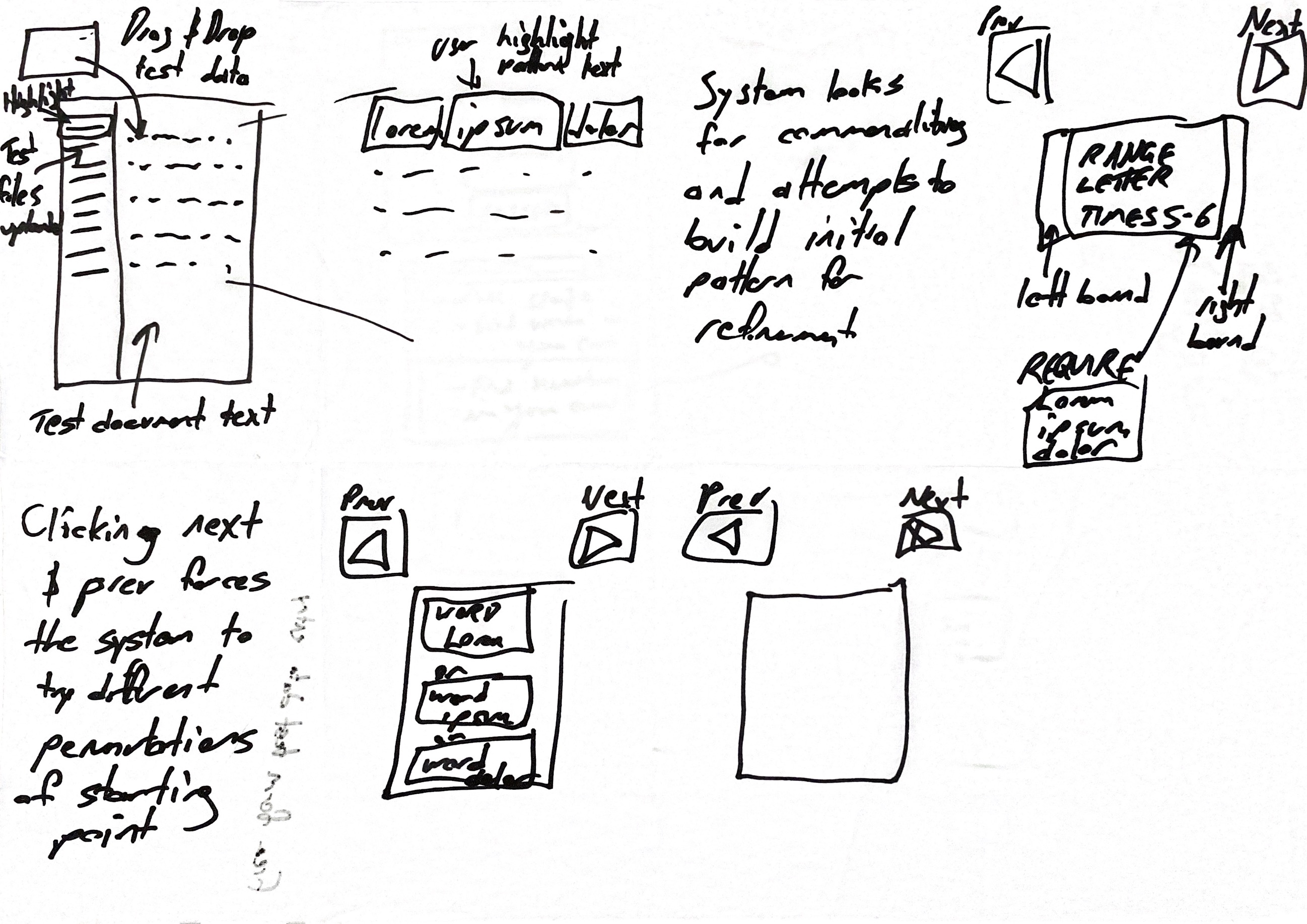
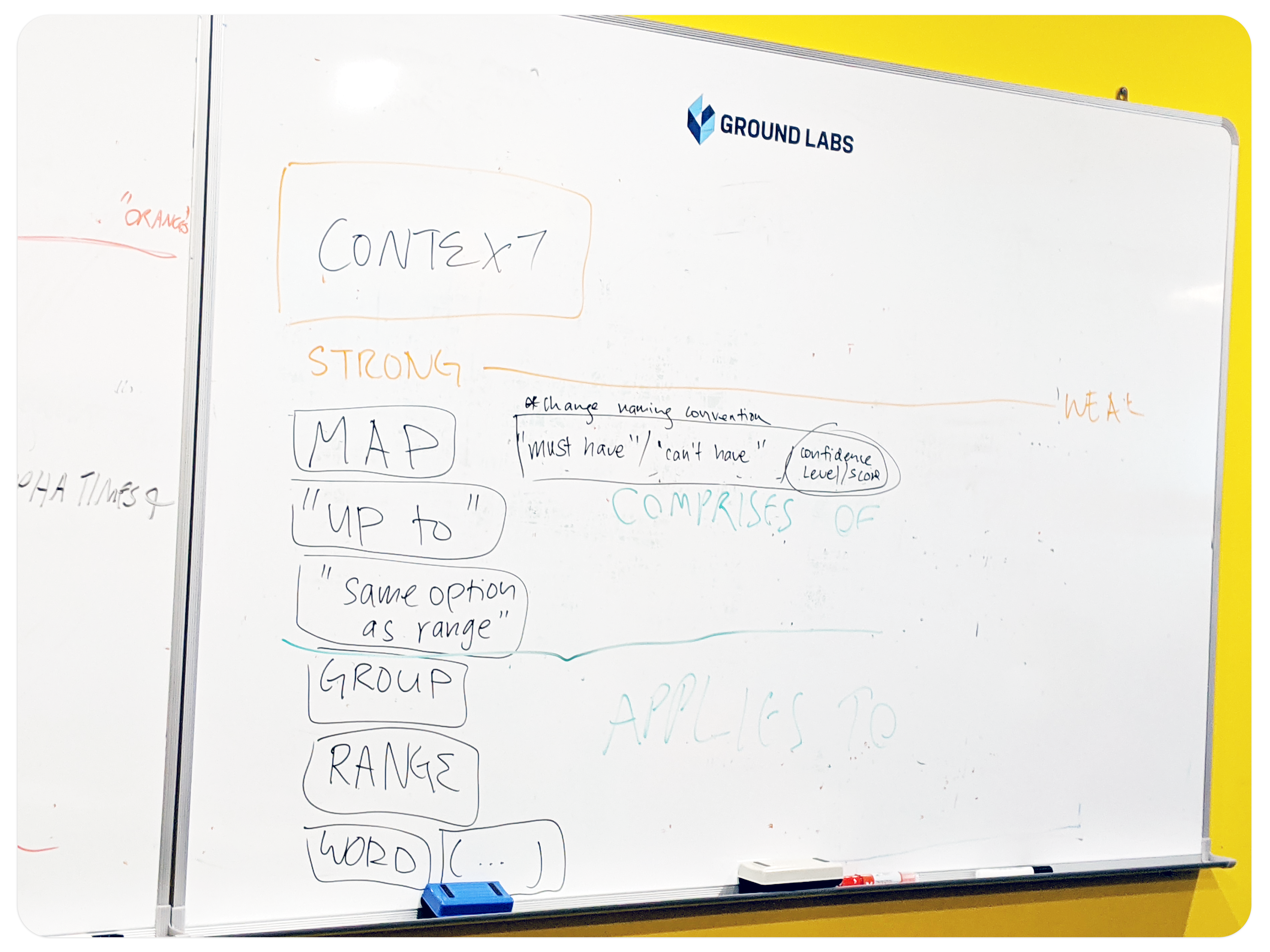
Rapid Prototyping & Testing
The developers were able to prototype quickly so that we would have a working build to test early on. This way, we could test ideas without worrying about being permanently stuck with them. All designs for each feature went through many rounds of iteration as team discussions and critiques fuelled continuous improvement — making the final design a collective effort.
Periodically, I paused to run usability tests, ensuring that users understood the product the way we intended, as well as to avoid accumulating UX debt.
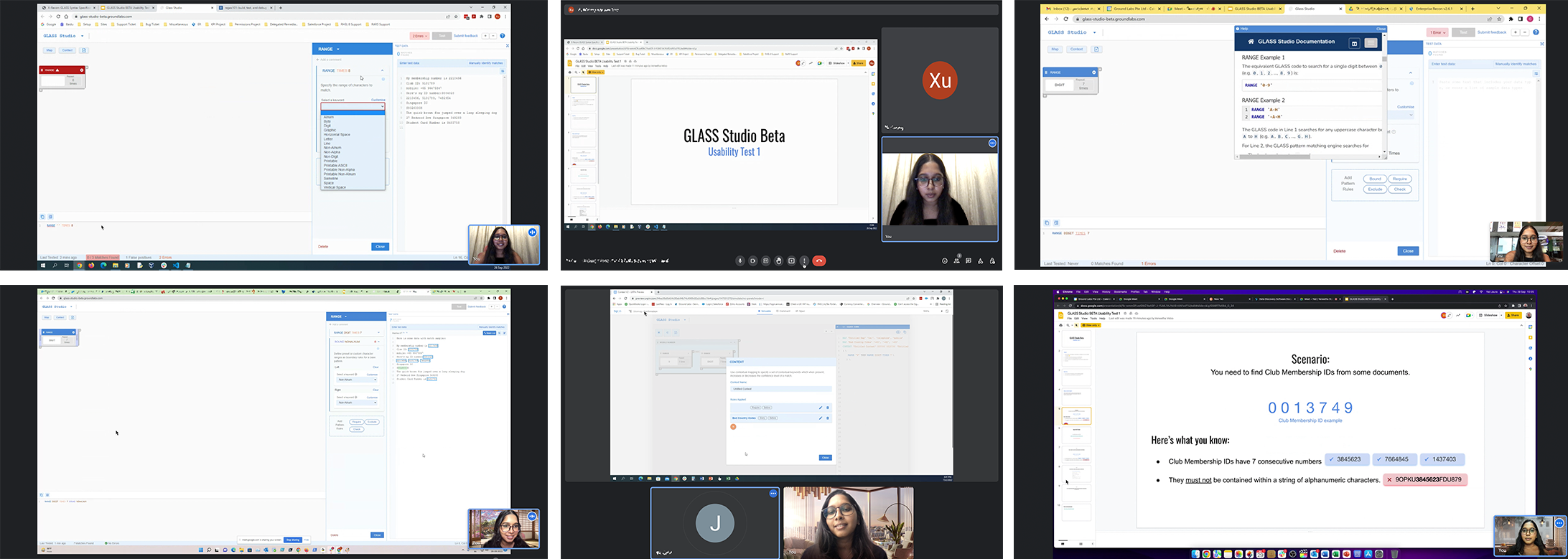
Screenshots from various usability tests conducted at different points in the design process
What usability testing taught us
Beginner users needed a simpler product
The more usability testing I did, the clearer it got: beginner users would not be able to get past the learning curve required to build expressions through GLASS Studio — no matter the amount of onboarding or in-app tutorials provided. They would need to go through educational training, and they clearly expressed it would not be worth the time.
Anyone Compliance managers and pre-sales engineers should be able to create search expressions that are error-free and functional, without the need for code or advanced skills.
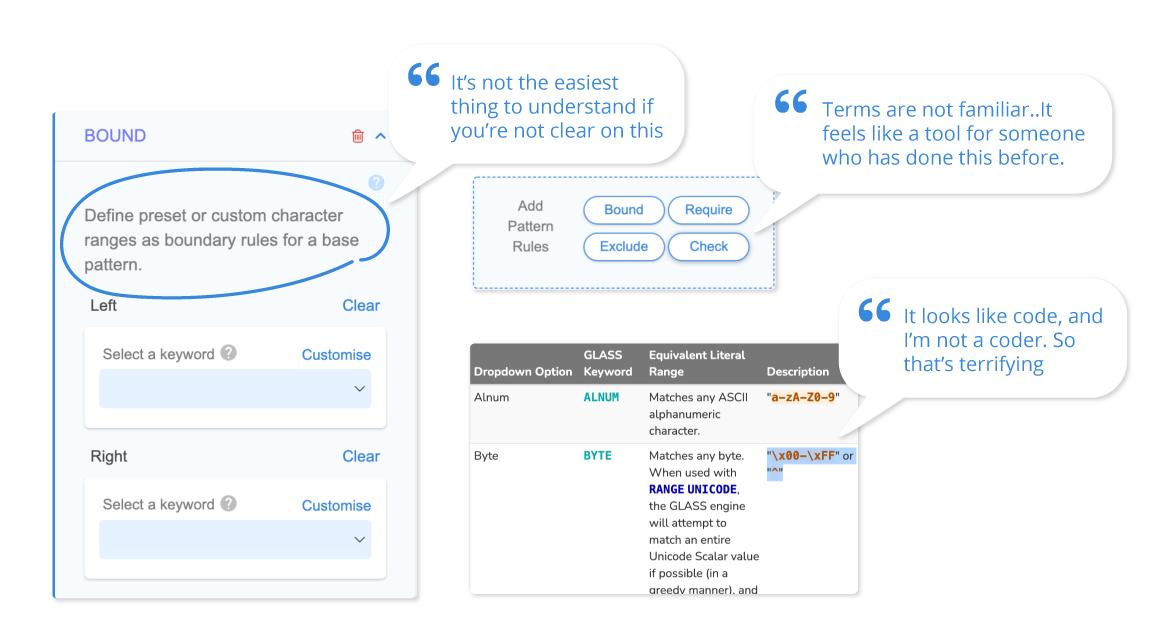
Code-y language felt unintuitive
Although beginner users were most put off by the mention of code, intermediate to advanced users also found the coding terms unintuitive. However, we kept the code operators within the UI — our stakeholders wanted users to eventually learn the language.
Advanced users expected smart recommendations
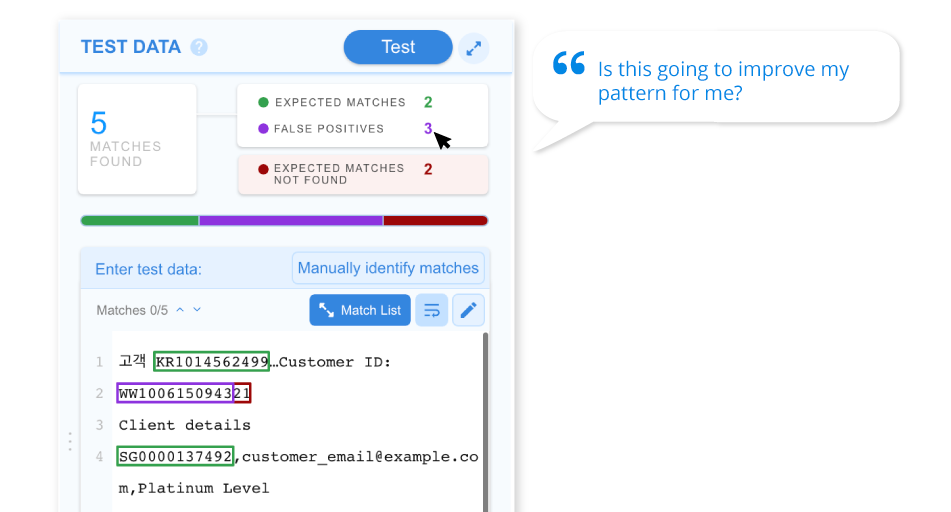
While the visual builder made the process faster for advanced users, they were hoping it could help them with the complex issue of strengthening their search expression to reduce false positives — one of their key pain points that the product could not yet address.
We needed to design more learning materials
After observing multiple users use the product, it was clear that more learning materials would need to be provided for a smoother journey. We also acknowledged that not all of these learning aspects should be shouldered by the studio interface itself — a web video tutorial series and community forum would be needed in time.
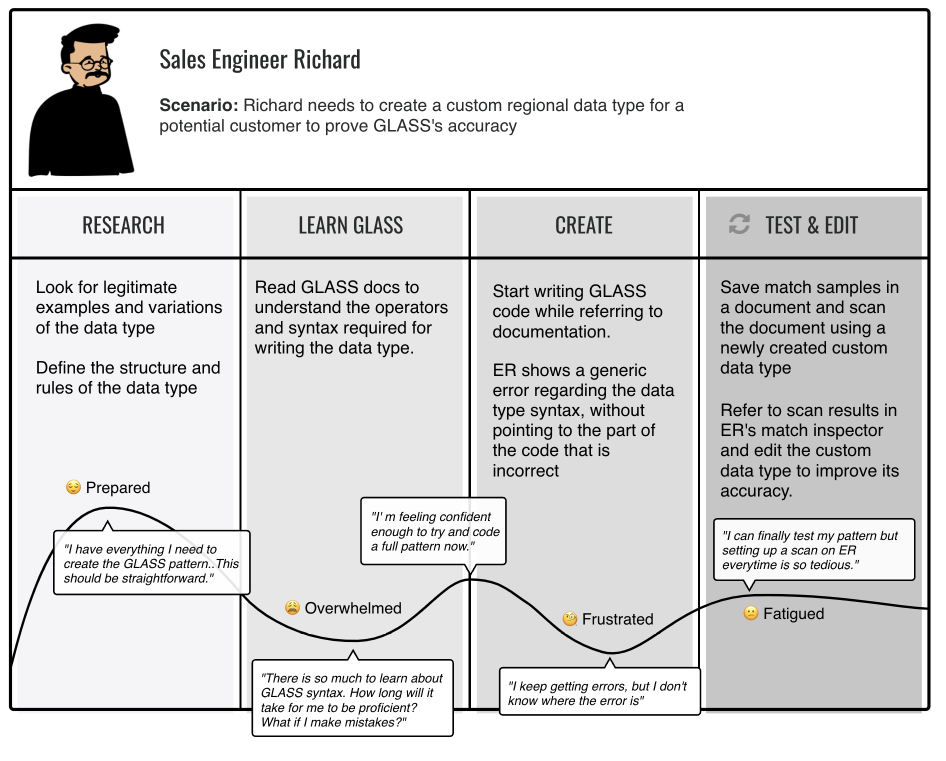
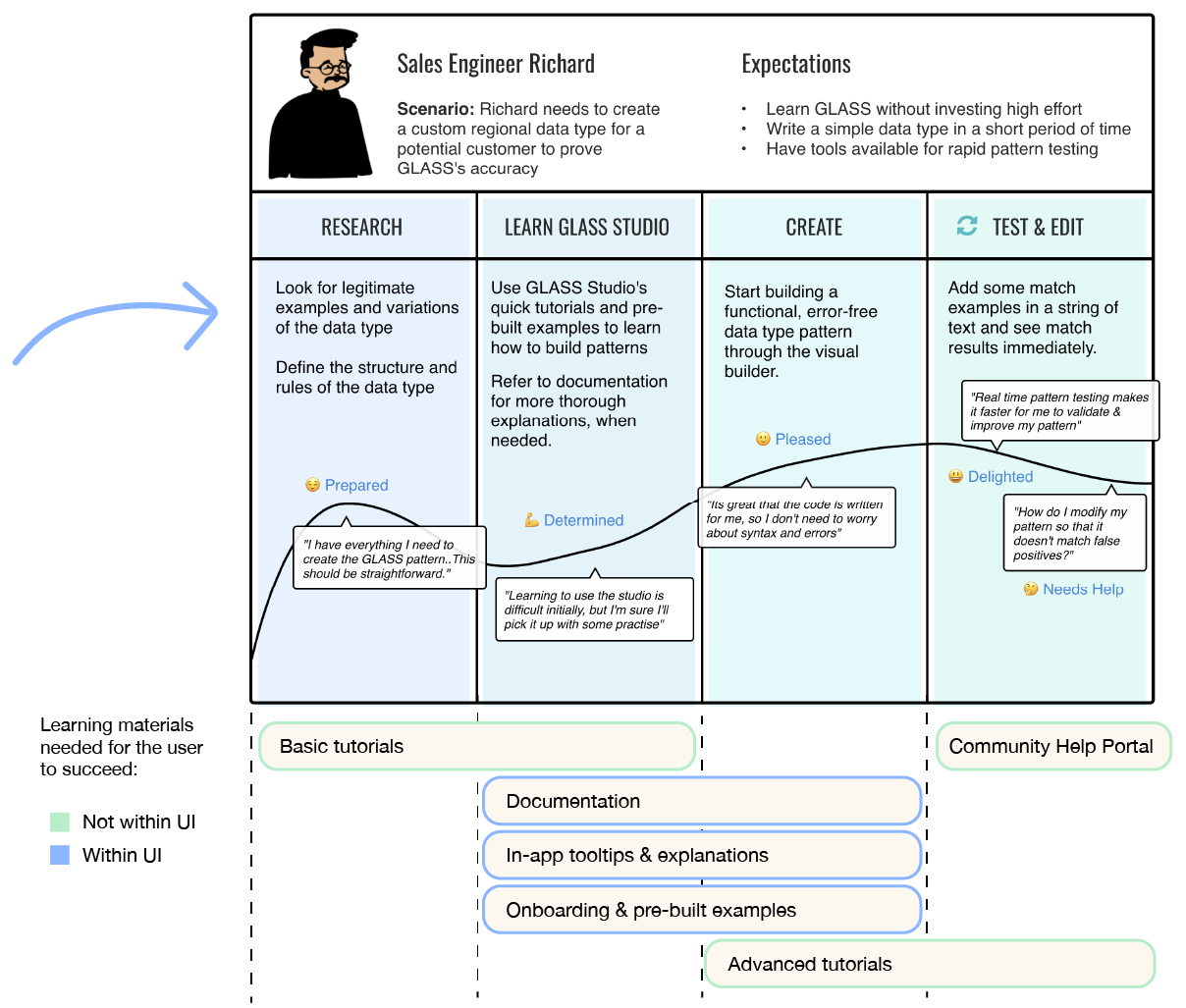
Current vs. ideal journey for Sales Engineer persona — highlighting where learning materials were needed
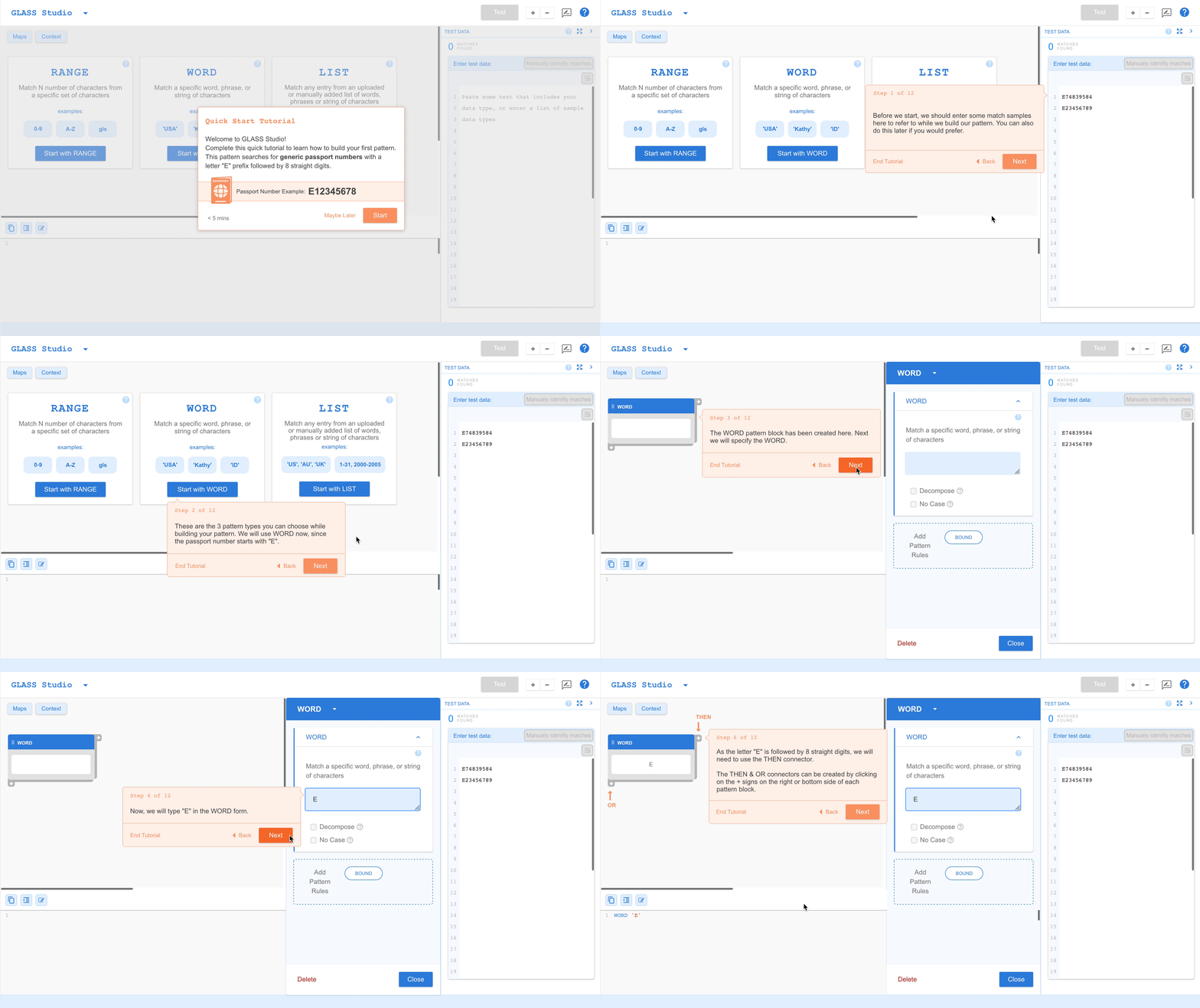
10-Step Interactive Tutorial
First-time users were not fully sure what each section of the workspace was for. We designed a quick interactive tutorial that brings the user through building a short expression using all the elements of the workspace. The tutorial can be exited at any time and ignored.
Contextual Onboarding
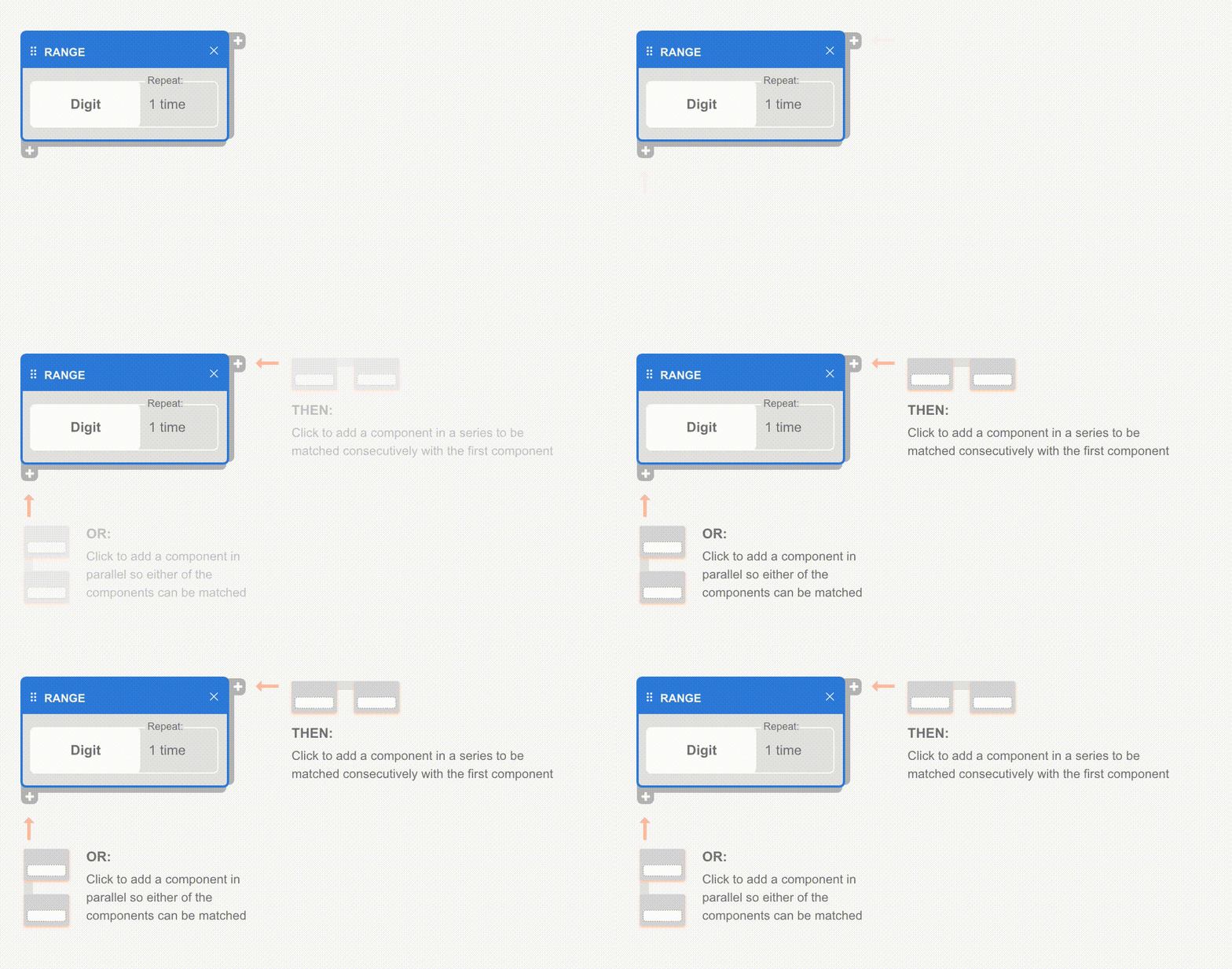
Some users did not know how to add their second block — a key interaction. Once users knew where the "add" button was, they could add blocks easily for the rest of the session. We added an animation to guide users to create their second block, right after they were done with their first. For complex features like "Manually Identify Matches," a quick intro appears on first use.
Guided Drag & Drop Interface
A visual canvas that represents code elements as building blocks — allowing users to compose search expressions without writing a single line of code.
Test at Any Point in the Process
Users can test the performance of their search expression at any stage of building — no longer requiring >20 clicks and a full scan setup to see results.
Precise, Timely Error Messages
Precise messages help users recover from errors as soon as they happen — rather than only surfacing problems at the very end of the workflow.
Launched to partners — and the whole company
We launched GLASS Studio to a selected group of partners and customers and immediately received positive feedback. Users reported a 67% reduction in the time it took to create search expressions. They especially appreciated the error identification and testing features, which helped them confidently build custom logic.
GLASS Studio also made life easier for support and sales engineers, who could now collaborate more smoothly with customers, reducing the need for troubleshooting.
Internally, we ran a company-wide offsite where employees teamed up to create their own search expressions. Many shared that it was much easier than expected — highlighting how intuitive the tool had become, even for those without a technical background.
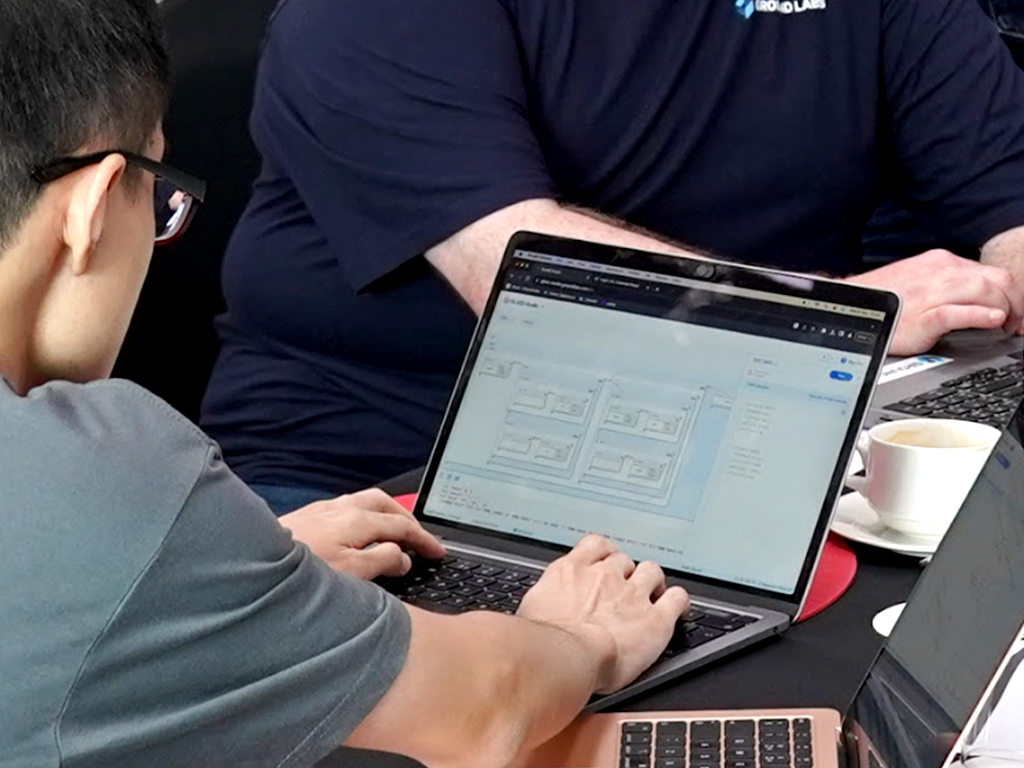
An employee building a custom search expression in GLASS Studio at launch
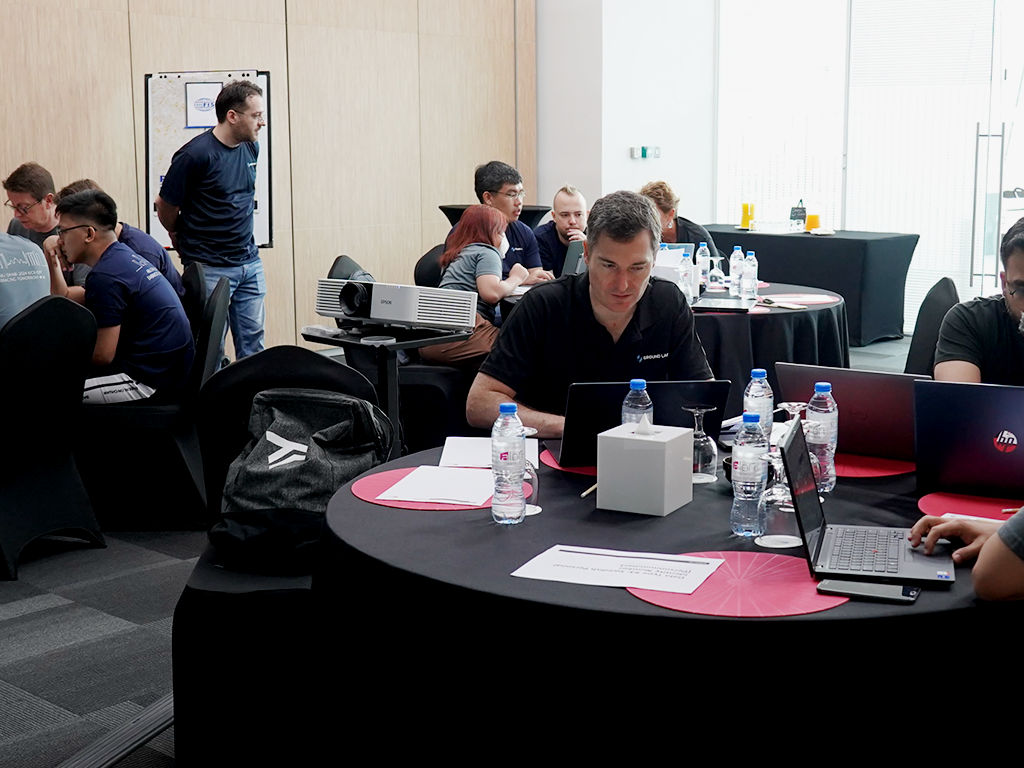
Company-wide offsite — teams collaborating to create search expressions together
AI-powered expression building
Upon the emergence of AI, our focus recently shifted to exploring the potential of integrating ChatGPT. The goal: enable users to effortlessly express and describe their preferred search expressions in natural language, with the system automatically generating the requested content.
What I learned from this project
Scope creep is a real problem.
During feature discussions, additional ideas not only kept coming up — they didn't seem like much extra work. The test panel feature snowballed into a big task, delaying the project for months. The worst part: it wasn't even needed for users to do their main tasks in GLASS Studio.
One size doesn't fit all.
We needed to address the diverse needs of user personas with different experience levels. I would do user interviews with users of all experience levels — rather than just the experienced ones — to notice distinctly different user needs sooner.
Team energy is contagious.
Working with passionate creative individuals creates an infectious energy that motivates everyone to excel. Although their perspectives may vary from a designer's, being the single UX designer and listening to team member feedback was integral to my design process.